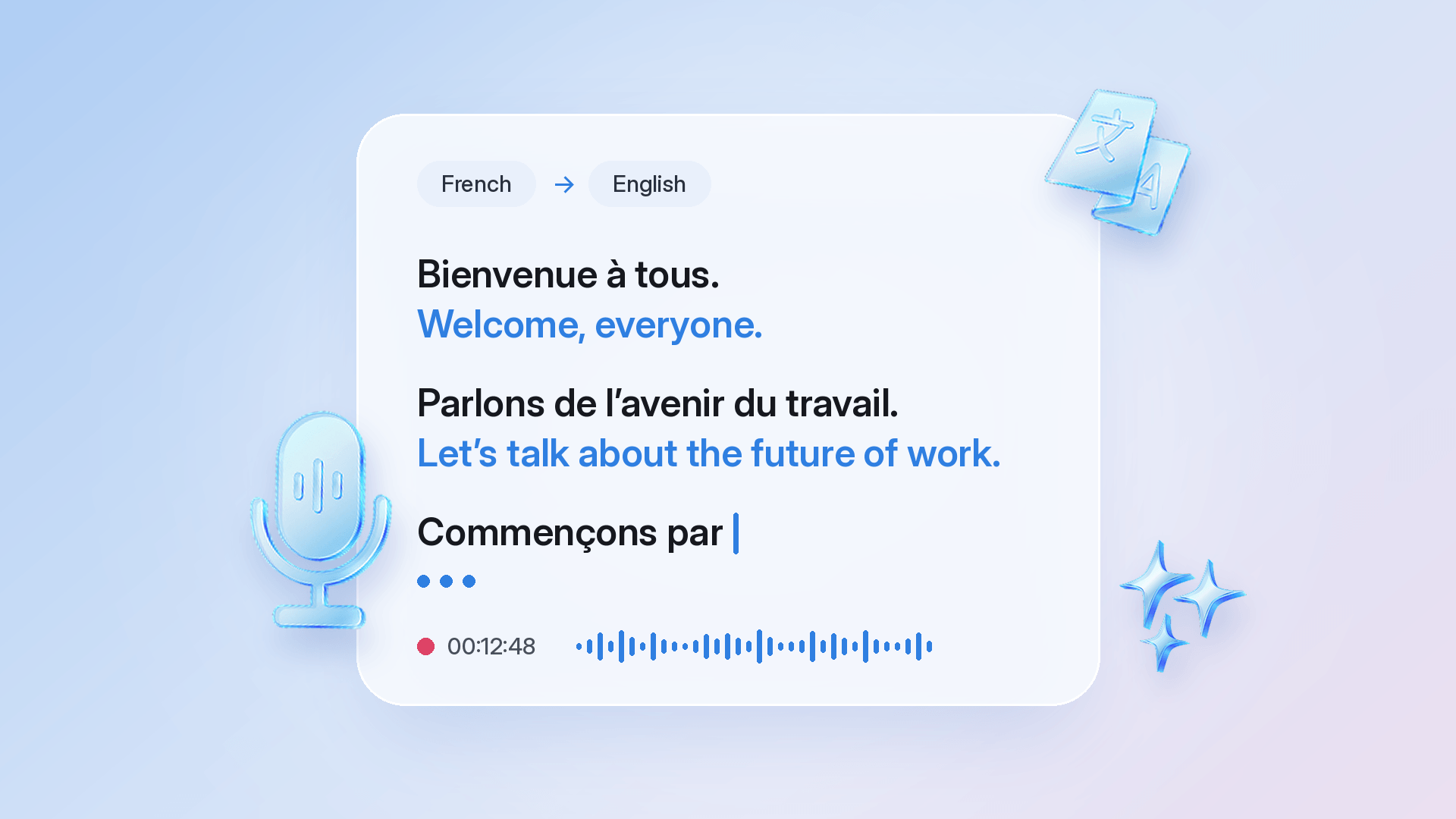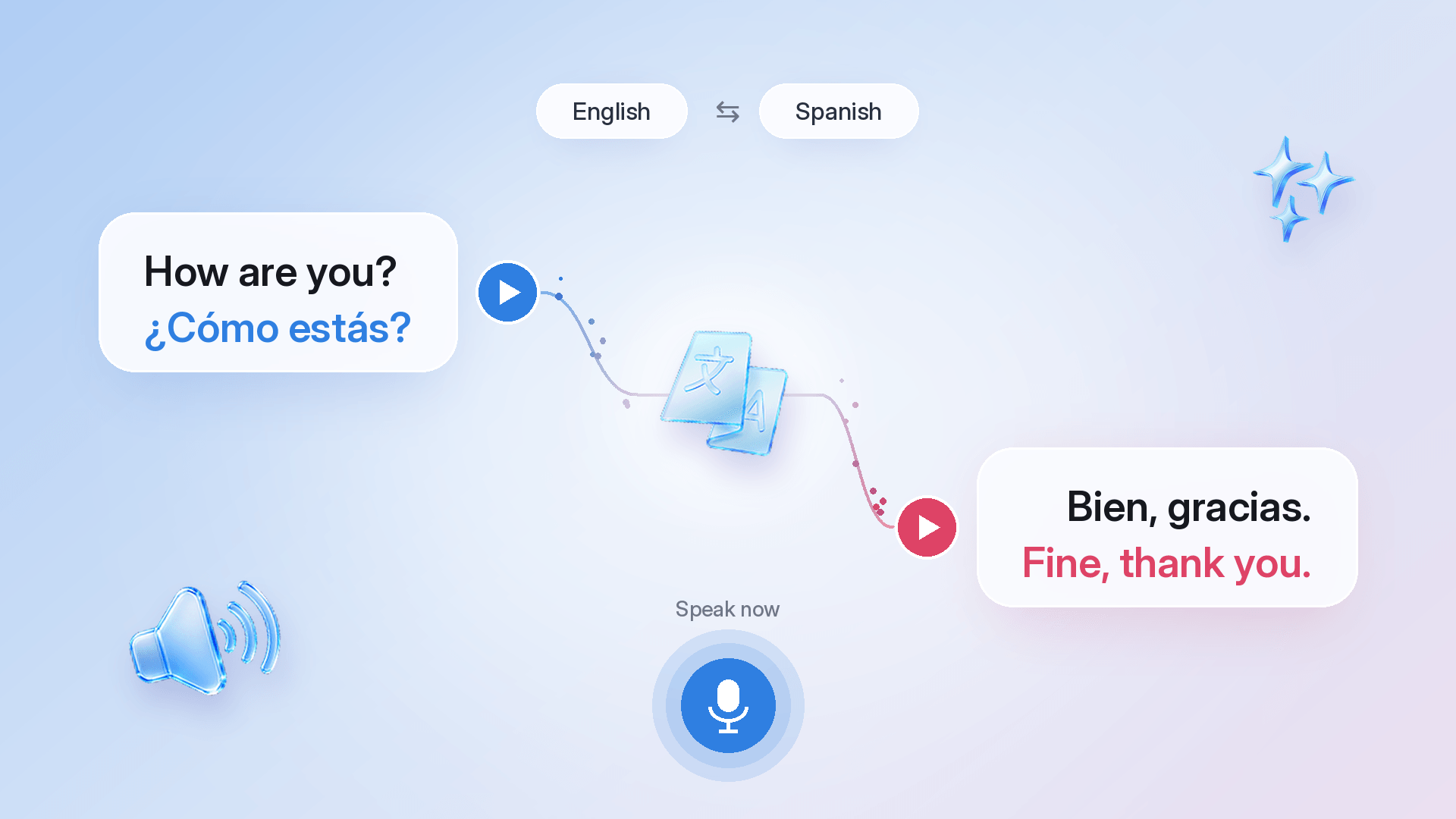
To translate a conversation in real time, open Talk & Translate, pick your two languages, tap the mic, and take turns speaking. Live Voice Translation recognizes which language it hears, translates it into the other, and reads it aloud. You ask in English, they hear Spanish, and their reply comes back in English. It keeps going until you tap stop. It works for travel, family visits, and everyday life abroad, in 100+ languages, with full offline mode on Premium. Here's how real-time voice translation works in Talk & Translate, and how to get the most out of it.
What’s it like to use Live Voice Translation?
It feels like talking through an interpreter who never needs a break. Live Voice Translation stays on from the first word to the last, works out which of your two languages is being spoken, and reads every translation aloud. The other person hears you in their own language and can answer straight away. It’s simultaneous voice translation for everyday conversations.
You can also say several sentences in a row, such as where you're going, when you need to be there, and what you'd like to know, and it translates all of it together. Everything runs on one phone, so only one of you needs Talk & Translate. The updated Live Voice Translation is available on iOS now, with Android on the way.
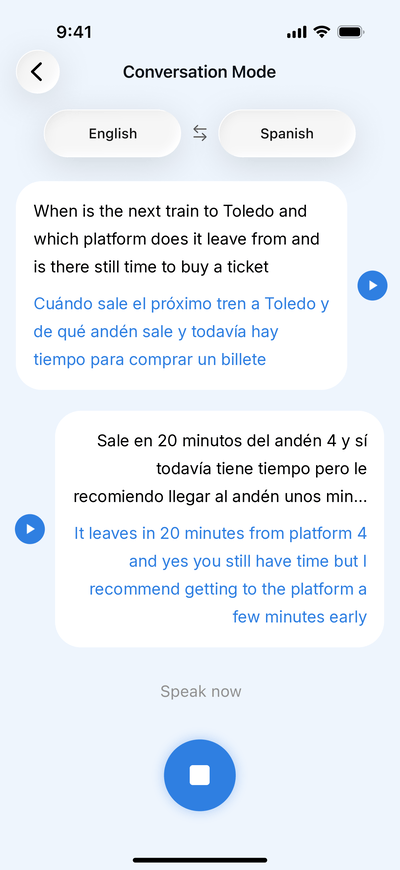
One of our colleagues put it to the test at the ticket desk in Madrid's Atocha station. They asked everything in one go: when the next train to Toledo left, which platform it went from, and whether there was still time to buy a ticket. Talk & Translate read the question out in Spanish, the clerk answered, and the reply came back in English with the time, the platform, and a tip to get there early. Neither of them touched the phone until the conversation was over.
How do I translate a conversation in real time?
Tap the mic, choose two languages, and take turns speaking. Talk & Translate handles the rest. Here are the steps:
1. Open Talk & Translate and tap the mic in the middle of the bottom bar to open Live Voice Translation.
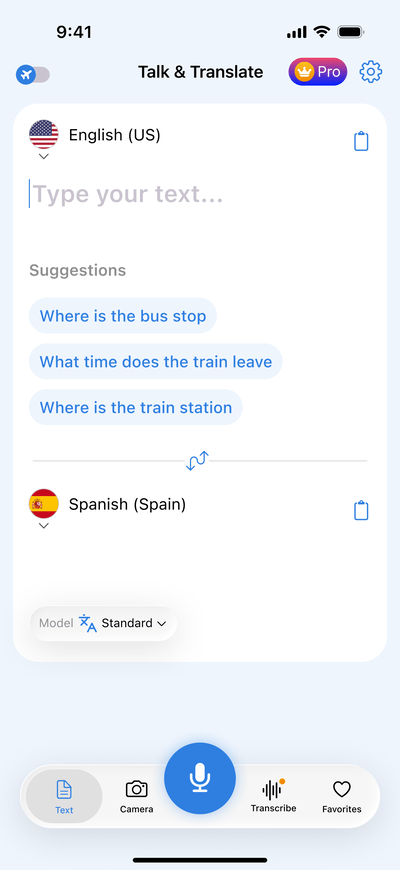
2. Pick your two languages at the top of the screen, for example English and Spanish.
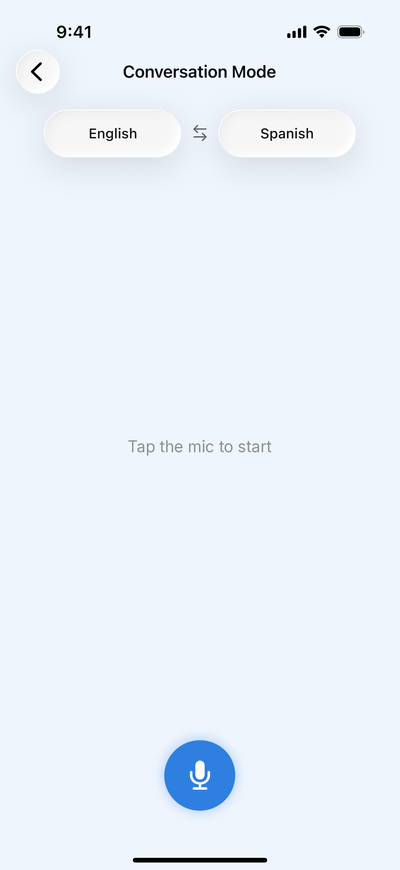
3. Tap the mic and start speaking when you see "Listening…".
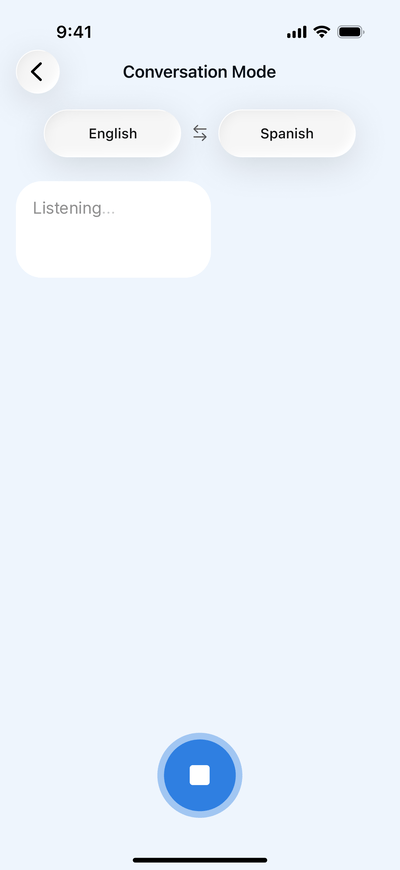
4. Your words appear on screen with the translation underneath, and the translation plays aloud.
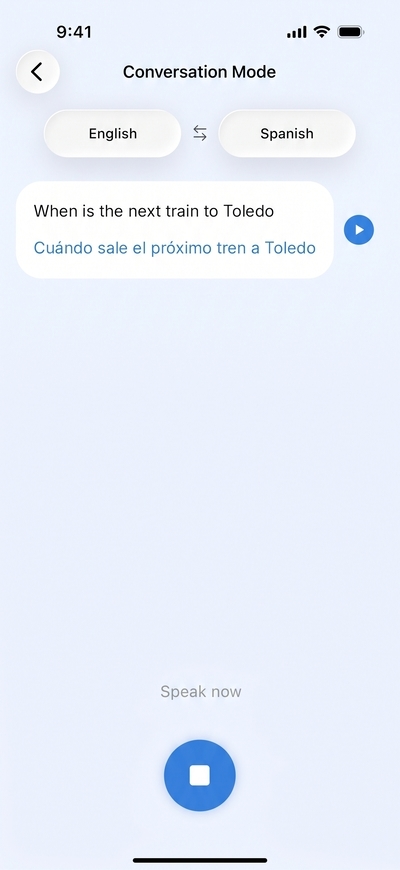
5. The other person answers in their language. Their words appear on the other side of the screen, translated into yours.
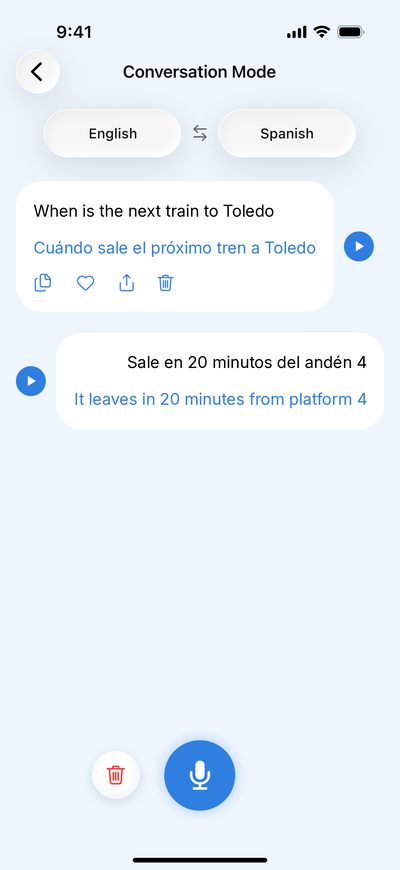
6. Keep taking turns and tap stop when you're done.
How does Live Voice Translation know which language is being spoken?
You choose the two languages once, before you start. After that, it listens for both and translates whichever one it hears into the other. The conversation can go back and forth without anyone touching a setting.
The screen keeps it easy to follow. Your words sit on one side and theirs on the other, each with its translation underneath.
Can I say more than one sentence at a time?
Yes. Say as much as you need in one turn – give some context, ask a follow-up in the same breath, or explain something properly – and Live Voice Translation turns it into one translated message.
On longer turns, the translation is shown in full and the original is shortened, so the other person sees exactly what they need.
What can I do with the conversation afterwards?
You can replay, copy, save, share, or delete any line. Everything stays on screen until you clear it, and each line has its own options:
Hear it again. Tap the play button next to any line to replay its translation.
Keep what matters. Copy a line into a message or note, save it to Favorites to find it later, or share it with another app.
Tidy up. Delete a single line, or tap the bin icon next to the mic to clear the whole conversation. Clearing erases everything on screen, so save the lines you want to keep first.
When is Live Voice Translation most useful?
It's most useful anywhere you'd rather have a conversation than point at a phrasebook: on the road, at restaurants, with family, in daily life abroad, and at work. A few moments it’s made for:
Getting around. At a ticket desk, a hotel reception, or a taxi rank, ask the whole question – where you’re going, when, and how much – and hear the answer in your language.
Eating out. Ask what’s in a dish, how spicy it is, or what the server recommends, and understand the answer without guessing from the menu.
Visiting family. Talk with grandparents, in-laws, or cousins who speak another language – around the dinner table, with the phone between you, and without one person interpreting for everyone.
Living abroad. For expats, everyday conversations add up: the landlord, the neighbors, the pharmacy counter, a meeting at your child’s school. Live Voice Translation keeps each of them going in both languages.
Welcoming someone new. It works the other way around, too. Help a new neighbor, a lost visitor, or a colleague who’s just moved to your country – you speak your language, and they hear theirs.
Learning a language. Practice with a native speaker. If you’re learning a language with Talk & Translate, you can compare what you said with how it was translated.
Work. Handle a quick exchange with a colleague or client. For client meetings and work trips, see using a translation app for business meetings.
Live Voice Translation or Live Transcription: which Talk & Translate feature do I need?
Use Live Voice Translation when two people are talking, and Live Transcription when you're mostly listening. Both translate speech, but they're built for different situations.
If you're mostly listening, here's how to transcribe and translate speech in real time.
Try Live Voice Translation on your next trip, at your next family dinner, or anywhere two languages meet.
Live Voice Translation at a glance
One-tap start: tap the mic once and take turns until you tap stop.
Language detection: speak either of your two languages, and it translates into the other.
Spoken translations: every translation plays aloud, and any line can be replayed.
Long turns: several sentences come through as one message.
One phone: only one of you needs Talk & Translate.
Offline mode: works without a connection once your languages are downloaded.
Frequently asked questions
No. Live Voice Translation runs on one phone, so only one of you needs the app. The other person simply speaks and listens, with no download or setup on their side. Hold the phone between you so you can both follow the text on screen.
Yes, with Premium. Download the language packs for both languages before you go, and you can hold a full conversation with no signal, no Wi-Fi, and no roaming charges. It's worth doing before a flight or a trip somewhere with patchy coverage.
Tap either language at the top of the screen to pick a different one, or tap the arrows between them to swap the pair. You don't need to switch during a conversation: once both languages are set, Live Voice Translation detects which one is being spoken.
Yes. Tap the play button next to any line to hear its translation again. That's handy if the other person missed a word or you want to check how something sounds. Lines stay on screen until you clear the conversation, so you can replay earlier ones too.
Yes – free to download on iOS and Android. Premium unlocks unlimited voice-to-voice translations, unlimited camera-to-text translations, unlimited live transcription with translation, advanced AI models, and full offline mode. The updated Live Voice Translation is available on iOS now, with Android on the way.
Final thoughts
Live Voice Translation gives you a two-way translator that starts with one tap: pick two languages, talk in turns, and hear every translation out loud. Keep the lines you need, and switch to Live Transcription when you’re mostly listening. The update is available on iOS now, with Android on the way. For a wider look at how Talk & Translate compares with other apps, see our comparison of translation apps in 2026.