This article was updated on March 25, 2026
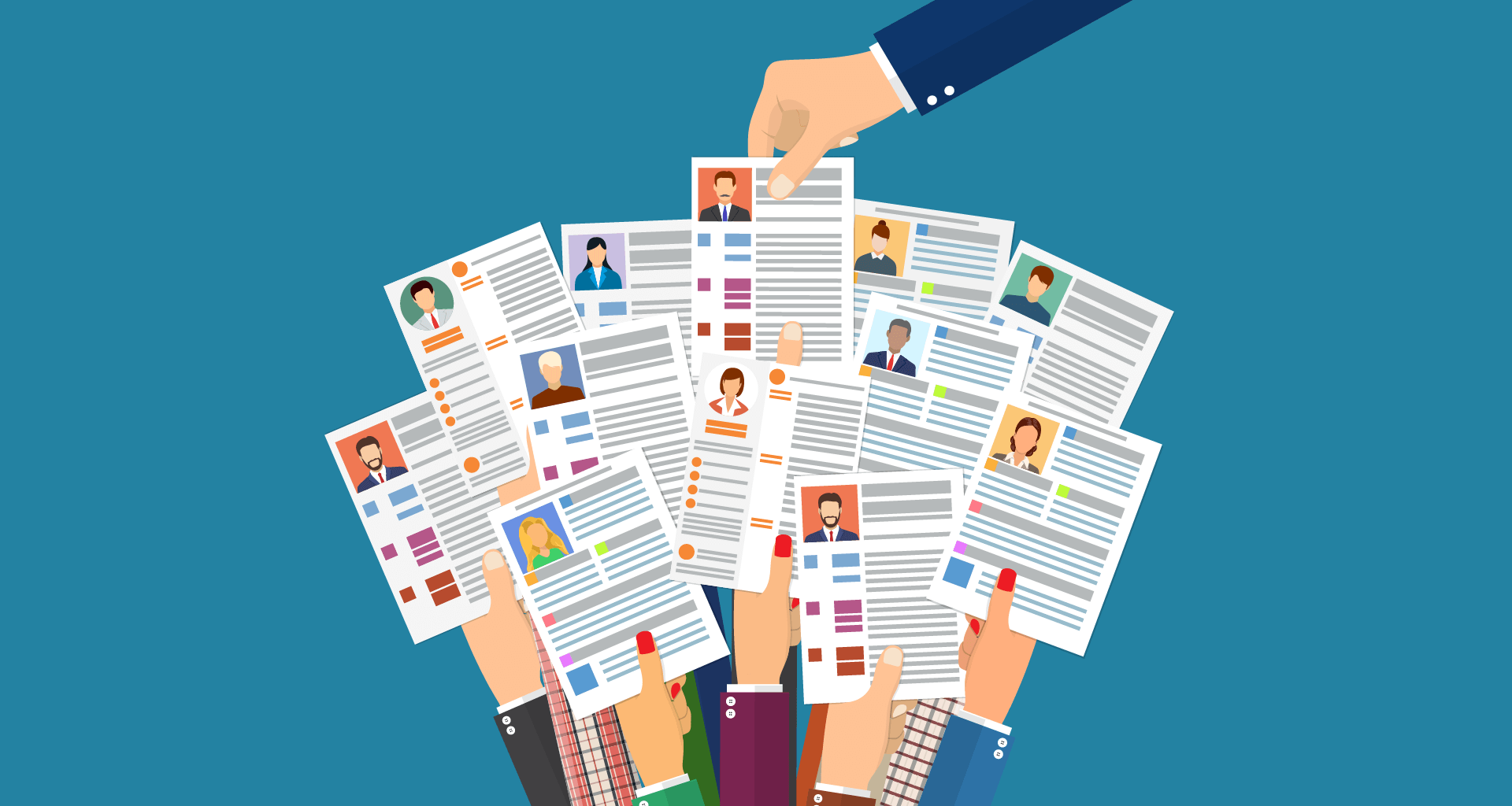
A modern resume should look clean, professional, and easy to scan, with clear section headings, consistent formatting, readable fonts, and strategic use of white space. In 2026, employers expect resumes that balance visual appeal with applicant tracking system (ATS) compatibility, favouring simple designs over-elaborate graphics.
This guide shows you how your resume should look today, covering layout standards, formatting requirements, and design expectations for different career stages. You'll learn what employers want to see, what mistakes to avoid, and how to create a resume that gets noticed.
What should a resume look like today?
Modern resumes should focus on clarity, structure, and readability. A clean layout helps hiring managers quickly scan your experience while also ensuring your resume works well with applicant tracking systems (ATS).
When formatting your resume, follow these practical guidelines:
Typography and text
Use standard fonts such as Arial, Calibri, or Helvetica
Keep the font size between 10 and 12 points for body text
Bold your name and section headings to make key information stand out
Layout and spacing
Keep one-inch margins on all sides
Use single-line spacing within sections and add extra space between sections
Left-align most text to make scanning easier for recruiters
Structure and content
Use bullet points consistently to list accomplishments and responsibilities
Choose a simple colour scheme, limiting yourself to one or two accent colours such as navy, dark grey, or professional blues
Avoid adding photos and only use icons when they genuinely improve clarity rather than clutter the layout.
Finally, keep the design restrained. A resume should guide the reader’s eye smoothly through your skills, achievements, and career story without much visual noise.
What should a professional resume look like?
A professional resume should look polished and industry-appropriate, with traditional formatting for corporate roles and slightly more creative layouts for design or marketing positions.
For example:
Use a clear hierarchy with your name prominent
Follow by contact information, professional summary, work experience, education, and relevant skills.
Emphasise accomplishments over duties.
To top it off, try and format consistently with company names, job titles, locations, and dates aligned the same way throughout.
Corporate vs. creative resumes
Corporate resumes for finance, law, consulting, and traditional business roles should look conservative with black text, minimal colour, standard fonts, and conventional layouts. Creative resumes for marketing, design, or media positions allow more personality through subtle colour use, contemporary fonts, and thoughtful visual elements that demonstrate design sense.
Corporate Resumes
Creative Resumes
Black text, minimal to no colour
Subtle colour accents, thoughtful palette
Traditional serif fonts (Times New Roman, Cambria)
Contemporary fonts (Lato, Montserrat, Raleway)
Conventional single-column layout
Two-column or creative layouts allowed
No icons or graphics
Simple icons and visual elements acceptable
Conservative, proven reliability
Personality, design competence
Modern resume vs. traditional resume
Modern resumes balance visual appeal with functionality, using subtle design elements, strategic white space, and skills-based sections. Traditional resumes stick to chronological work history with minimal formatting and completely text-based content. Modern formats work better for applicant tracking systems when designed with simplicity.
Modern Resume
Traditional Resume
Subtle design elements, strategic white space
Minimal formatting, text-only
Skills-based sections, clear section headings
Strict chronological work history
Scannable bullet points, visual hierarchy
Dense paragraphs, basic structure
ATS-friendly when kept simple
ATS-compatible but less readable
The best approach combines modern readability with traditional structure. Clear section headings, consistent formatting, and scannable bullet points represent modern improvements over dense paragraph-heavy traditional styles, while maintaining the professional standards employers expect.
What should a resume look like for students and beginners?
Resumes for students and early-career candidates should focus on education, skills, and practical experience gained outside traditional jobs.
In most cases, students should lead with the education section rather than work experience. Academic achievements, relevant coursework, and hands-on projects can help show employers what you can do.
The overall design should remain simple and professional. Many students make the mistake of choosing overly creative templates that reduce readability. Clean layouts with clear sections help recruiters quickly understand your strengths. For most students and recent graduates, a one-page resume is the standard, unless you have significant research experience or publications.
High school student resumes
High school student resumes should be especially clear and accomplishment-focused.
Strong high school resumes often include:
GPA if it is strong
Relevant coursework
School clubs and extracurricular activities
Volunteer work or community service
Part-time or seasonal jobs
Leadership roles in clubs, sports achievements, and community involvement can help demonstrate initiative, teamwork, and responsibility.
Resumes with no work experience
If you have no formal work experience, your resume should focus on skills and demonstrated abilities rather than job history. Instead of listing previous positions, highlight activities that show initiative, responsibility, and practical knowledge.
This may include:
Academic projects
Relevant coursework
Certifications or online training
Volunteer work
Personal or independent projects
Organise these experiences into clear sections and frame them around transferable skills such as communication, organisation, problem-solving, and technical abilities.
What should a resume summary look like?
A resume summary should look like a 2-3 sentence statement at the top of your resume, immediately below contact information. It should highlight your professional identity, years of experience, key skills, and the value you bring, tailored specifically to the position you're targeting.
Key elements to include:
Your professional title or area of expertise
Years of relevant experience
2-3 core skills or competencies
Quantifiable achievement or specific value you bring
How your background aligns with the target role
What to avoid:
Generic statements like “hardworking professional seeking opportunities”
First-person pronouns (I, me, my)
Listing job duties instead of achievements
Making it longer than 3-4 sentences or bullet points
What should references look like on a resume?
References should not appear on your resume in 2026. Instead, prepare a separate references document to provide when requested. Simply note "References available upon request" at the bottom of your resume or omit reference mention entirely to save valuable space for qualifications.
When creating a separate references document:
List 3-5 professional contacts
Include full name, title, company, phone number, and email addresses
Add a brief note about your relationship, like "Direct supervisor at Company X"
Format the document with clear spacing and alignment
Best practices:
Always ask permission before listing someone as a reference
Inform your references when you're actively job searching
Choose people who can speak specifically to your relevant skills
Update contact information regularly to ensure accuracy
Common resume design mistakes to avoid
Avoid design choices that reduce readability, confuse applicant tracking systems, or appear unprofessional. Simple, clean formatting always outperforms elaborate designs.
Design mistakes to avoid:
Using multiple fancy or decorative fonts
Including photos unless required
Cramming too much text without white space
Adding elaborate graphics or clip art
Creating inconsistent formatting across sections
Choosing tiny fonts below 10 points
Using tables or text boxes that confuse ATS software
Selecting busy backgrounds or patterns
Content and formatting mistakes:
Using unprofessional email addresses
Listing outdated or irrelevant skills
Including unnecessary personal information
Making resumes too long without justification
Forgetting to proofread for spelling and grammar errors
Saving in incompatible or unusual file formats
MobiOffice helps you avoid these pitfalls with user-friendly document templates and formatting tools that work intuitively. Create, edit, and save professional resumes easily with familiar controls and compatible file formats.
Build your resume with confidence.
Should you use a template for your resume?
Yes, using a professional template can save you time and ensure your resume looks polished from the start. Templates provide a proven structure, consistent formatting, and proper spacing without requiring design expertise or hours of manual adjustments.
MobiDocs offers a ready-to-use resume and cover letter template that looks professional and maintains a clean, scannable format employers expect. The template works across most devices and saves in compatible formats.
How to use the MobiDocs resume and cover letter template:
Open MobiDocs.
Select CV and Cover letter under Templates, then click Create.
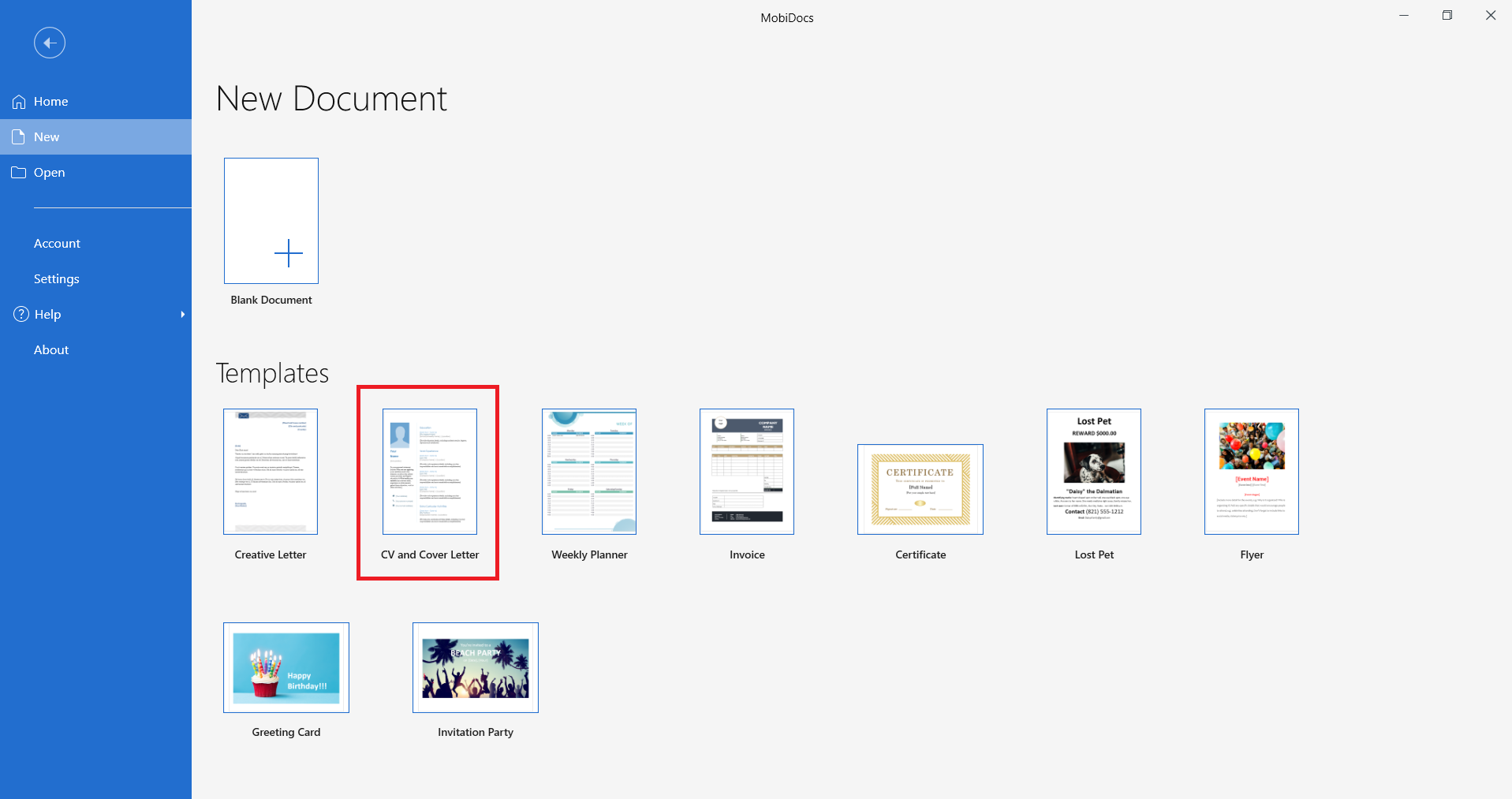
Replace the placeholder text with your own information.
Use the matching cover letter template to create a cohesive application package.
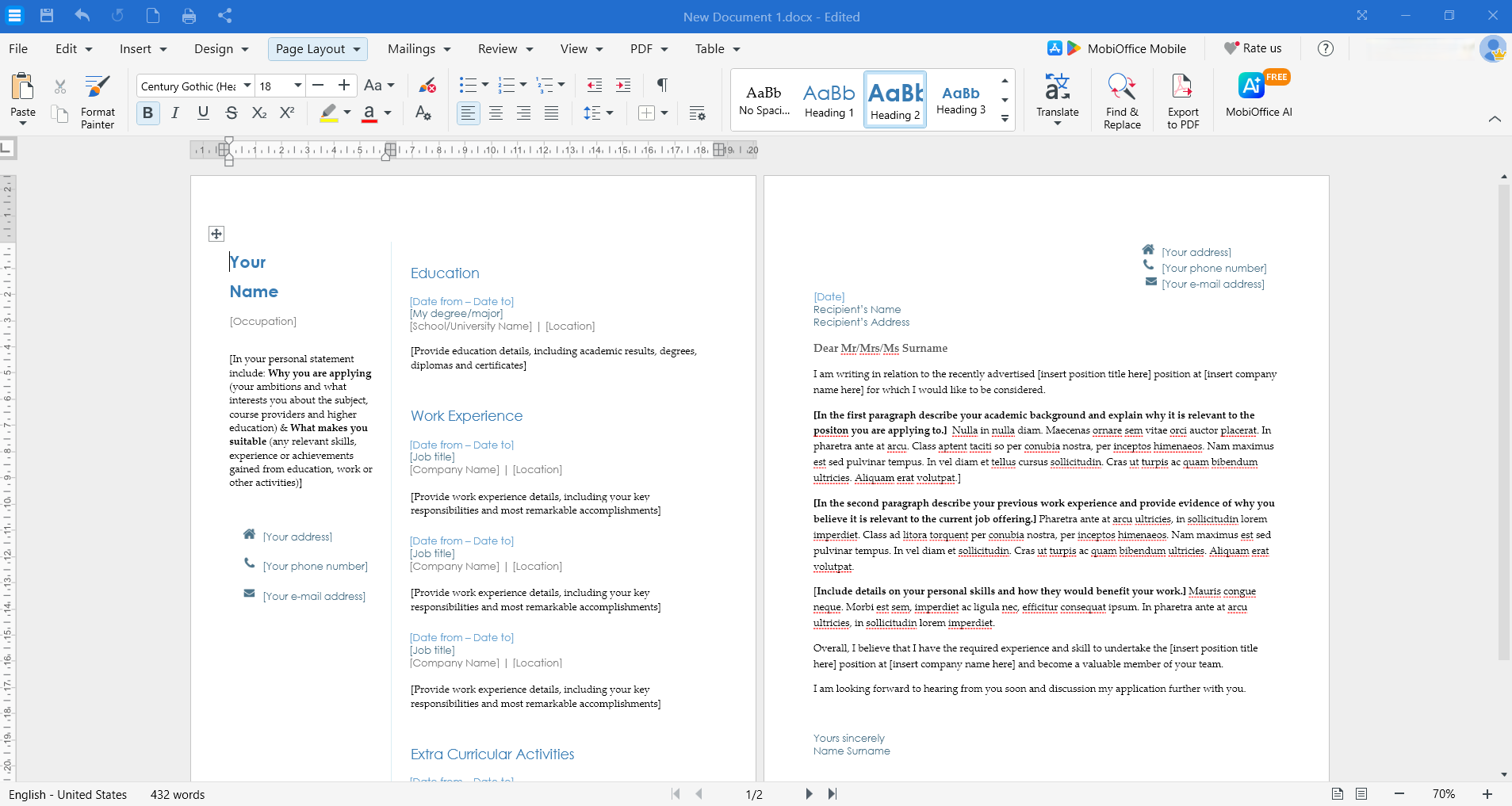
Customise the formatting, colours, and sections to fit your needs.
Save your resume as a PDF or Word document.
Frequently asked questions
What should a resume look like in 2026?
A 2026 resume should look clean and scannable with one or two professional fonts, minimal colour accents, clear section headings, consistent formatting, and ample white space.
Should resumes be one page?
Resumes should be one page for students, recent graduates, and professionals with less than 10 years of experience. Two pages work for senior professionals, academics, or those with extensive relevant experience.
What should a resume look like with no experience?
A resume with no experience should emphasise education, skills, coursework, projects, volunteer work, and transferable abilities. Keep the format simple, professional, and accomplishment-focused.
Is PDF still the best format for resumes?
PDF remains the best format for most resume submissions because it preserves formatting across different devices and systems. However, some applicant tracking systems prefer Word documents.
What should references look like on a resume?
References should not appear on your resume. Create a separate references document to provide when requested or simply note "References available upon request" at the bottom if space permits.
Creating a resume that looks professional and modern doesn't require expensive software or design expertise. MobiOffice gives you everything you need to build, edit, and perfect your resume with easy-to-use tools and compatible file formats. Download MobiOffice today and get more done with office apps designed for work and life.