
Powerful office suite for small & growing business
From basic tasks to advanced projects, MobiOffice provides the tools to create, edit, and collaborate across all major file formats.

550M
20+

The easy choice for any business


Compatible with major file formats
Compatible with major file formats

Easy-to-use on any device
Easy-to-use on any device

Affordable and powerful
Affordable and powerful
Our small business offerings include
MobiDocs

Work seamlessly across desktop and mobile and keep your work synced anywhere you go. Working on a team project? Effortlessly create, edit, and share with your team, partners, and clients without barriers. Our advanced word processing software is compatible with all major file formats, including Microsoft Word (doc, .docs, .docx, .docm, .dotm), Google Docs, iWork (.Pages), .txt, .rtf, and .odt.

MobiSheets
Master your data using pivot tables, data validation, over 280 formulas, 30+ chart designs, and more. MobiSheets combines powerful features with an intuitive interface to help you analyze data, uncover insights, and visualize your findings, regardless if you're a beginner or a seasoned analyst. Plus, with compatibility across all devices and major spreadsheet formats like Microsoft Excel and CSV, you can seamlessly convert, share, comment, and protect your work.

MobiSlides
Design and deliver engaging presentations with our powerful and intuitive presentation software. Quickly create compelling slides using themes and templates, or dive into the rich editor to customize layouts with text, media, and effects. Present with confidence by adding transitions, rehearsing timings, and using the presenter view for perfect delivery. Don’t worry about compatibility either as MobiSlides seamlessly supports PowerPoint, Keynote, OpenOffice, and other popular formats.

MobiMail
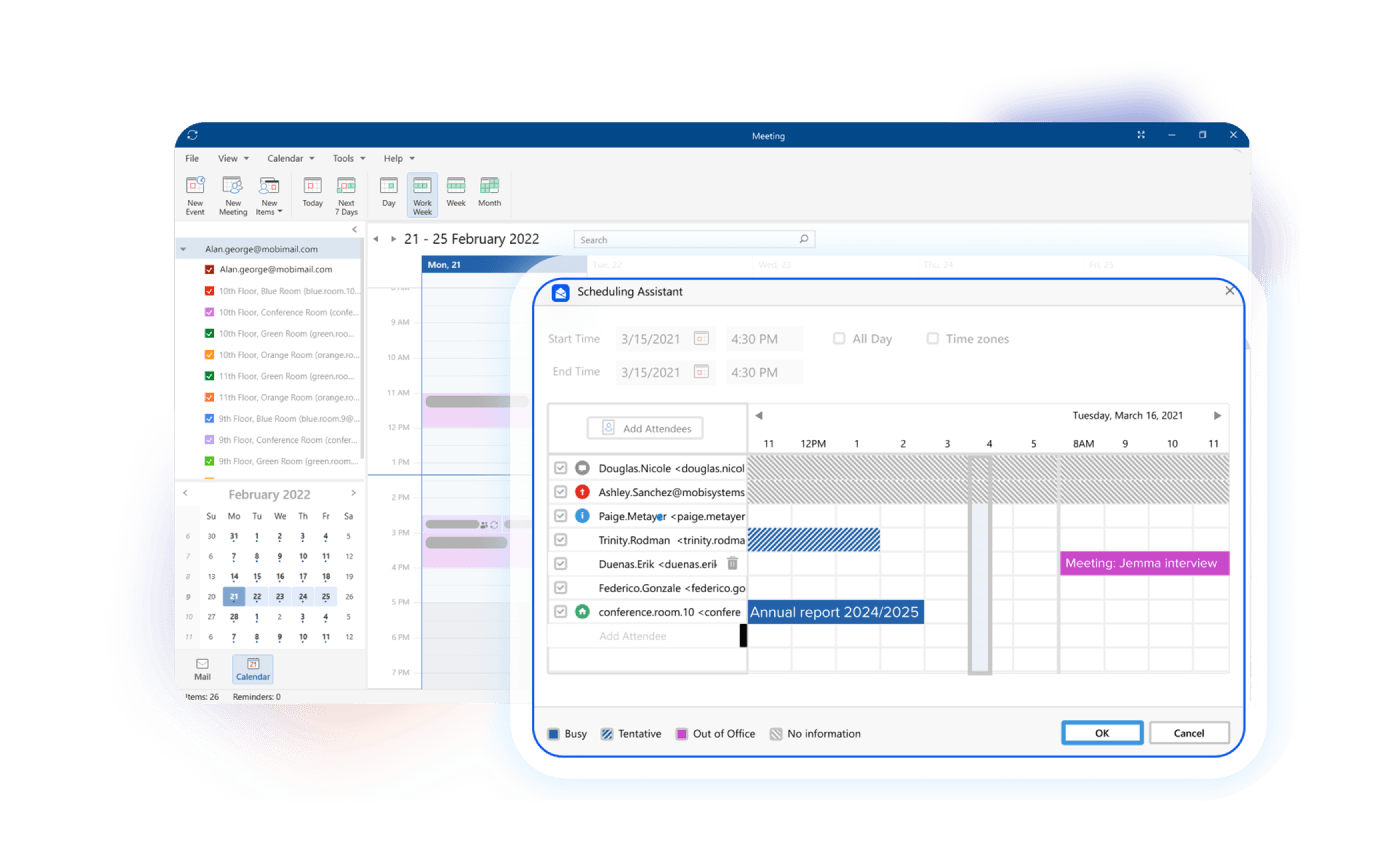
Stay connected to multiple accounts and easily manage your inbox with MobiMail. Organize and send emails, schedule meetings with a built-in Calendar module, and never let anything fall through the cracks. Sync your work across all your devices, whether you're at your desk or on the go. Enjoy full compatibility with major email providers, including IMAP, POP3, and Exchange, ensuring seamless communication.
MobiPDF
Experience seamless PDF editing, signing, and conversion with our all-in-one PDF reader and editor. Effortlessly fill out forms, add digital signatures, then compress and password-protect your files. Need to make edits? Convert your PDFs to editable MobiDocs, MobiSheets, Microsoft Word, or Microsoft Excel formats, make your changes, and convert them back with just a few clicks.

MobiDrive
Access 500 GB of secure cloud storage per user and have your team seamlessly view, sync, and share files and media as download links or attachments across any device. Keep files organized and protected at all times, with features like built-in version history management, or convert to over 1200 file formats on the spot.

Choose the best plan for you

MobiOffice Premium for Teams


Billed yearly
Number of users:


Unlimited access to all Premium features
Use on PCs, Macs, phones and tablets
Convert documents to and from PDF
500 GB MobiDrive Cloud storage per user
Manage users in the web-based admin console
Access priority support

Contact Sales
Get in touch to discuss your needs and receive a customized proposal.
See what our customers say

Has more options than I expectedHas more options than I expected. Meets every office productivity need I will ever have. Features work as advertised. Price is advantageous when compared to Microsoft Office products.



MobiOffice is Top Quality and really works well.The quality of the software in MobiOffice is excellent. It is a good first choice for Spreadsheet and Word Processing and easily competes with the functionality of other office suites.
JJP
Good quality for the priceTheir products and software are (so far) worth purchasing. They are also friendly and happy to answer your questions if you need any help. The software is compatible cross-platform and has 99% of all the features you would need from an Office Suite, including cloud syncing.
LLaur
The Right SwitchMS Office 365 is too complicated for what I am doing. It took me longer to figure it out than it took to complete my project. I canceled my subscription and will now use MobiOffice.
Continually upgrading and making it better...I've been using MobiOffice (OfficeSuite) for several years, as an alternative to Microsoft Office. MobiOffice definitely meets my overall needs. Plus, they are continually upgrading and making it better. They're also responsive.
MobiOffice - an excellent alternative to MS Office 365I've used MobiOffice for 3 or 4 years and really like its flexibility, data integrity, and ease of connectivity to Google Mail.
BBBrad B.
I have used Microsoft Excel for many…I have used Microsoft Excel for many years. I didn't even know there was another option. I was afraid that I wouldn't be able to open my Excel documents or they would be distorted, but they were not. The transition from Excel to Mobisheets has been seamless!
FAQ
The key difference lies in license management and deployment scale. While individual plans are designed for personal use, business plans provide centralized control for teams, including user management, corporate deployment options (MSIX packages), priority support, and volume licensing.
Yes. MobiOffice Premium for Teams include a 7-day free trial that gives you full access to all premium features. If you need more time, you can request a 14-day trial through our contact form. After the trial ends, you can choose to continue with a paid plan or keep using the free version.
Business users have access to a web-based admin console, where licenses (seats) can be easily assigned or unassigned for team members.
You can add users at any time and will be billed only for the remaining period of your current subscription. This ensures that all seats renew at the same time.
Yes. You can switch from MobiOffice Multi-user to MobiOffice Premium for Teams at any time by contacting support. Your billing will be adjusted accordingly, and you’ll gain access to any additional user seats and business features immediately.
Yes. We offer volume discounts for purchases of 20 or more licenses, along with corporate payment options.
We accept various payment methods, including credit and debit cards, PayPal, Google Pay, Apple Pay, and bank transfers.
You can enter your company and VAT details during online checkout on our web site. Your invoice will then be issued automatically based on the information you provide.
You can cancel at any time. Your current plan will remain active until the end of your billing cycle, unless you choose to downgrade immediately.
Yes. MobiOffice is fully compatible with Microsoft Office file formats such as .docx, .xlsx, and .pptx, allowing you to open and edit files created with other office suites without issues.
Yes. Subscription plans allow you to use MobiOffice on multiple devices, including PCs, Macs, phones, and tablets. One-time purchase licenses are tied to a single desktop device.
No. Some features are platform specific. MobiMail and MobiPDF are not available on Mac, and certain functionality may differ between Windows and macOS versions.
No. Every MobiOffice download includes MobiPDF Reader and basic PDF reading is available in both the free and premium versions of MobiOffice, but advanced PDF editing features require a separate MobiPDF subscription.
MobiOffice runs on a PC or Surface Hub with:
OS: Windows 10 (version 14393.0 or higher)
Architecture: x64
Memory: 1 GB minimum (2 GB recommended)
Processor: 1 GHz, 2-core minimum (2 GHz, 4-core recommended)
For more details about system requirements on macOS, iOS, and Android, please visit our Download Center.
Yes. Regular product updates are included with all subscriptions and one-time purchases.


