

Tips for Creating Engaging Presentations
This guide collects practical tips for building clear, engaging presentations in MobiSlides. A good presentation keeps your audience focused on your message, not distracted by cluttered slides or heavy effects. Use them whether you're starting a new deck or improving an existing one. The advice applies to Windows, Mac, Android, and iOS, with a few notes where features differ by platform.
Start with a solid structure
Begin from a template. On the Home screen, click New and choose a template instead of a blank document. A template gives you a consistent starting point for fonts, colors, and layouts. See Creating and editing presentations.
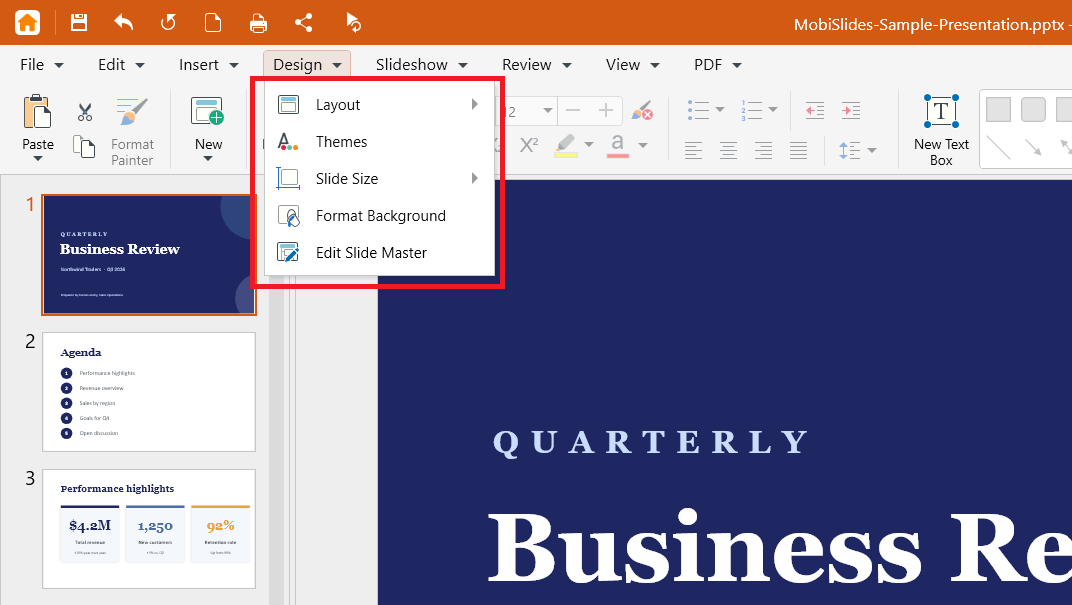
Keep layouts consistent. Use Design > Layout to apply the same layout to similar slides, so your content lines up from slide to slide.
Set a theme once. On the Design menu, click Themes to apply one set of colors and fonts across the whole deck.
Use Master Slides for repeating elements. Add your logo, fonts, and placeholders to the slide master so every slide matches without editing each one by hand.
Keep slides clear and readable
Stick to one idea per slide. Break a busy slide into two. Short slides are easier to follow than crowded ones.
Use tables for data. On the Insert menu, click Table to line up numbers and labels instead of typing them into a text box.
Highlight key points with shapes. Add a shape or text box from ribbon or the Insert menu to call out an important figure or quote. See Inserting shapes, tables, and media items.
Use common fonts. If a font isn't installed on another device, MobiSlides substitutes a similar one, which can shift your layout. To lock the look, save a copy as PDF.
Add visuals and media that support your message
Add images, audio, and video from the Insert menu. A relevant visual often explains an idea faster than text.
Use common media formats. Save video as MP4 and audio as MP3 so your media plays on other devices.
Embed media from a file on your device. This adds the file to the presentation, so it still plays after you share the deck, rather than linking to a file that may be missing elsewhere.
Resize large images. Drag a corner handle to scale a picture, or use a smaller, compressed version, to keep your file size manageable.
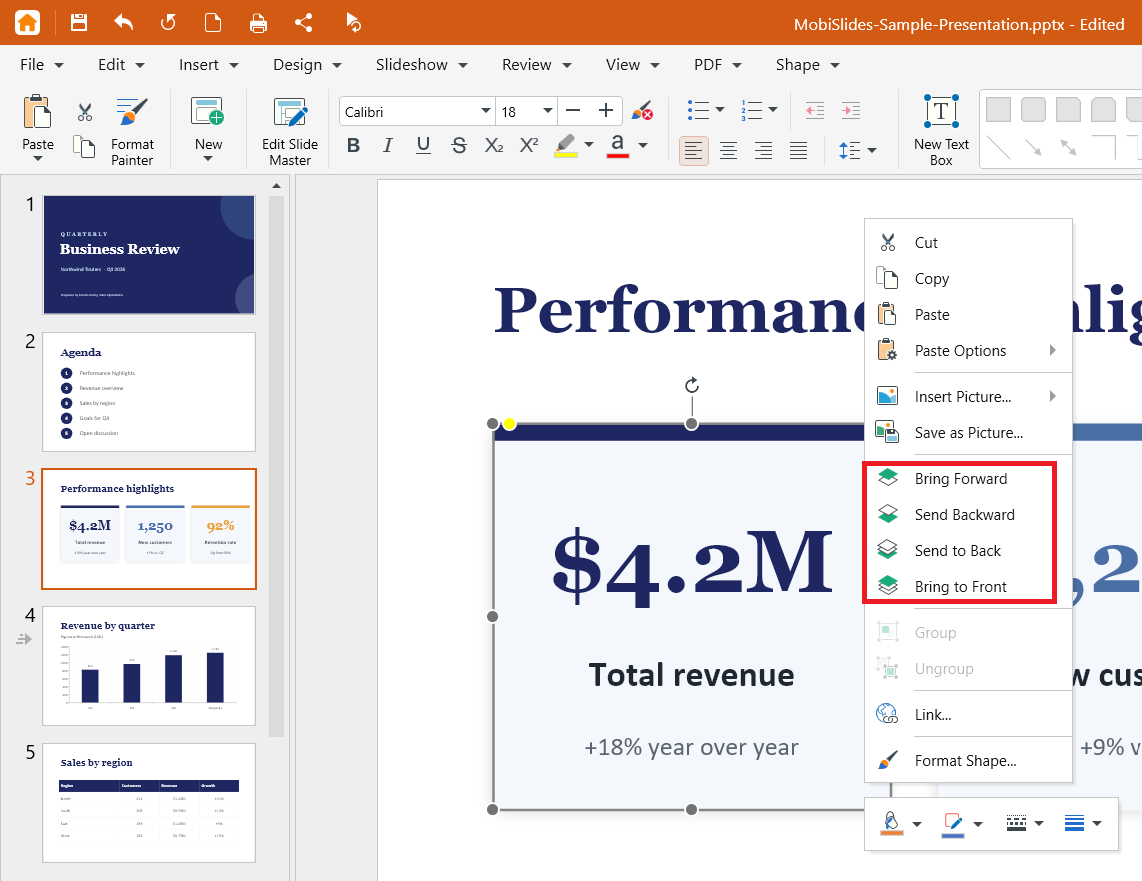
Arrange overlapping objects. Right-click an object and use the arrange options to bring it forward or send it backward so nothing important is hidden.
Use animations and transitions with restraint
Pick one transition style. Using the same transition across your deck looks cleaner than mixing several. See Adding custom animations and transitions.
Animate one object at a time. This lets you control the order in which items appear on a slide.
Fine-tune timing. Use the Duration and Delay pickers under Timing so effects feel smooth, not abrupt.
Preview before you present. Click Preview animations or Preview transitions to check the result.
Plan for your presenting device. Animations are available on Windows and Mac only. If you'll present from a phone or tablet, rely on transitions.
Avoid effects that won't travel. Some effects may not carry over to other apps. If you'll open the file elsewhere, save a copy as PPTX and keep effects simple.
Present and share with confidence
Use presenter mode. Add speaker notes and use presenter mode to keep your notes in front of you while your audience sees the slides.
Mirror to a bigger screen. Connect to an external monitor or casting device to present to a room.
Save to MobiDrive. Sign in and save to MobiDrive so you can open and present the same deck from any of your devices. See Signing in to MobiSlides.
Export to PDF for a fixed copy. When you need a version that looks the same for everyone, export the presentation to PDF.


