

Compressing PDFs - Using the PDF compressor
How to use the PDF compressor
Compressing PDFs is no rocket science with MobiPDF. To optimize your files:
1. Open the PDF file that you wish to compress.
2. Choose if you want to also include image compression.
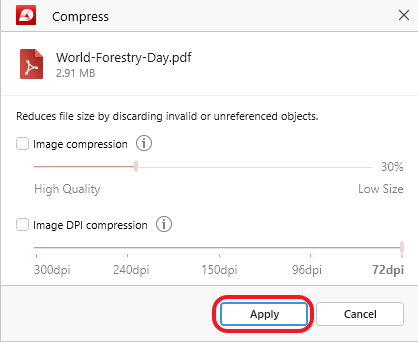
3. Click “Apply” to confirm your changes.
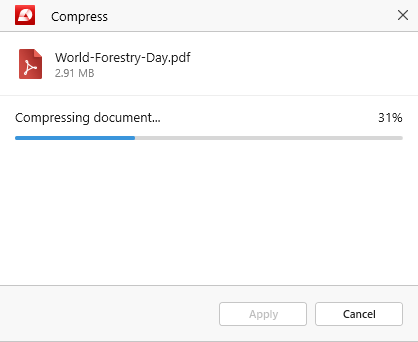
4. Wait for the PDF file compression to finish.
5. Select where you want to save your new file.
6. Enjoy your smaller & optimized PDF!
That being said, you might be wondering why you would ever want to compress a file without the PDF images or what’s the difference between normal image compression and DPI image compression. Let’s dive into more detail about each parameter to get the most out of your files.


