MobiSlides
Presentation software made for everyone
Create stunning slideshows with an easy-to-use interface
Open PowerPoint and Google Slides presentations on any device
Enjoy advanced and intuitive features for any task, anywhere
Start faster with a wide range of templates

550M
25+

MobiSlides comes as part of MobiOffice



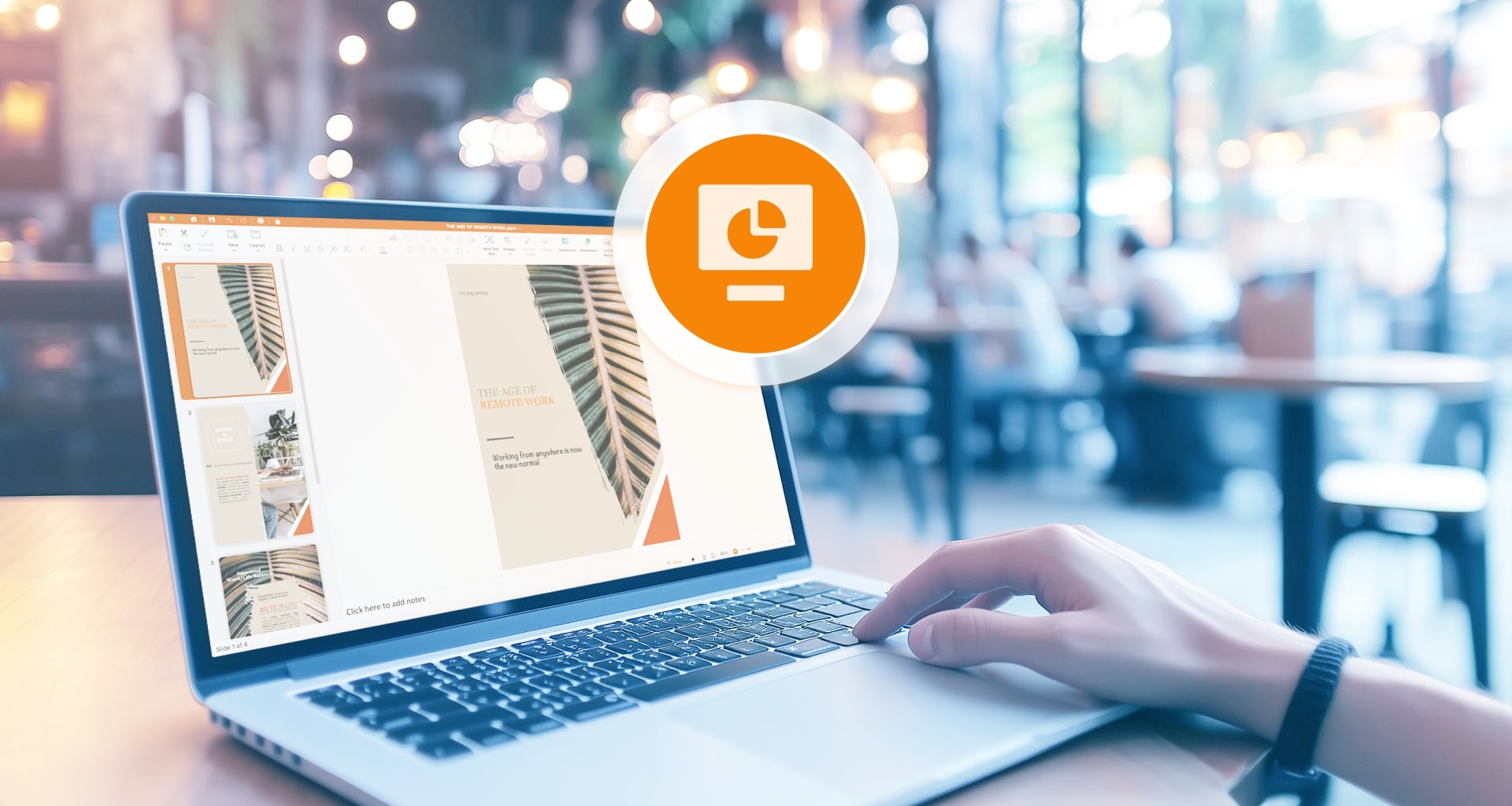
Simple to use, familiar from the start
Create everyday presentations with confidence, then refine and customize as needed.
Create with confidence and ease
Create with confidence and ease
Build and edit presentations with familiar and easy-to-use tools. With various layout templates and the ability to create custom designs, you’ll have the flexibility to deliver stunning slideshows effortlessly, at home or on-the-go.

Work seamlessly across major formats
Work seamlessly across major formats
Never lose a beat, no matter the format. MobiSlides works with PowerPoint and Google Slides, so you can continue working on your files. Open and save files in major formats, including PPTX and ODP.

Elevate your slides with flexible tools
Elevate your slides with flexible tools
Want something beyond simplicity? Use flexible tools that help you shape engaging presentations. Customize themes, add animations, and use Master Slides to keep your design consistent. Bring your slides to life by inserting audio and video files to support your story. Turn ideas into clear, visually engaging presentations.

Present like a pro
Present like a pro
Deliver professional presentations with smart tools like transitions, timing rehearsal, and Presenter View to keep you in control of your content with a few clicks.

Export and convert to PDF
Export and convert to PDF
Enhance your workflow with robust PDF conversion tools. Convert your presentations to PDF to protect them from editing while maintaining your design and layout across all devices. Easily convert PDFs back into editable presentations, allowing you to make changes to documents you originally saved as PDFs.

Choose a MobiOffice plan that best suits your needs

MobiOffice Multi-user
Complete suite of office editing tools, 6 users


Billed yearly

Best for families and groups (up to 6 users)
Unlimited access to all Premium features
Use on PCs, Macs, phones and tablets
Convert documents to and from PDF
100 GB MobiDrive Cloud storage per user
MobiOffice Premium
Complete suite of office editing tools, 1 user
Billed yearly
Best for solo users
Unlimited access to all Premium features
Use on PCs, Macs, phones and tablets
Convert documents to and from PDF
50 GB MobiDrive Cloud storage per user
MobiOffice Lifetime
Essential office editing features, 1 PC or Mac
One-time purchase
Locked to one desktop device
One payment ideal for core editing needs
Use on PC or Mac

Convert documents to and from PDF
5 GB MobiDrive Cloud storage

What our users say about us

I am really impressedI am really impressed with its performance and ease of use. The interface is intuitive and the features are exactly what I needed.
LMLabass Mallé


I have enjoyed using thisI have enjoyed using this alternative to Microsoft Office. It is easy to use for writing projects and spreadsheets. I have been satisfied with using this and would recommend it to others.
RHRyan Hoffman

Super easySuper easy to create and edit my documents.
JJJeff Jacobs
Impressed!The sleekness of the interface and streamlined tool accessibility has a genuine Mac-Office feel. Highly recommended for any professional seeking an extremely streamlined workflow on iOS.
PGPaul Gettmore

Super effective appIt is quite good and effective. It has helped me a lot with my work and it is better than Word or other apps. I love it. It has many options and it is easy to use.
MCMilena Charles
SpectacularSpectacular. Full of valuable tools, stable and intuitive.
JCJulio Andres Camay
Discover expert tips for impactful presentations







FAQ
MobiSlides can't be downloaded as a separate app. Instead, download MobiOffice, which includes MobiSlides along with MobiDocs, MobiSheets, and other office tools. You can try MobiOffice for free to access MobiSlides and its core presentation tools, then upgrade to a premium plan if you need additional features and formatting options.
Yes, MobiSlides is compatible with both Windows PC and Mac. You can expect similar functionality and features across those platforms, ensuring a seamless workflow across devices.
MobiSlides supports multiple languages, including English, Spanish, French, German, Russian, Italian, Japanese, Chinese, and more. You can easily switch languages within the app settings, making it accessible to users around the globe.
You can share your MobiSlides subscription license by signing to your MobiSystems account. Then you will have access to MobiSlides as well as other MobiOffice products you might be using, all under the same account name.
Absolutely! MobiSlides allows you to save your presentations to various cloud storage services, including MobiDrive, Google Drive, OneDrive, and Dropbox. This ensures that your files are easily accessible and backed up across all your devices.
MobiSlides is a MS Office and Google Slides alternative designed for ease of use and affordability. It offers a feature-rich, intuitive experience similar to Microsoft PowerPoint, allowing for advanced presentation creation. MobiSlides also provides offline access without an internet connection, which differentiates the tool from Google Slides. MobiSlides offers a user-friendly and cost-effective alternative for those looking to create stunning presentations efficiently.
Yes, MobiSlides allows you to import presentations created in Microsoft PowerPoint and Google Slides. Thanks to this compatibility you can transition your existing presentations to MobiSlides without losing your formatting or used elements.
More from MobiSystems