

Filling & signing PDFs - Flattening filled and signed PDFs
Flattening filled and signed PDFs
In MobiPDF, you have the option to flatten your PDF documents to achieve better security, consistent printing results, and reduce storage space. However, please note that flattening any filled or signed documents will make your forms and signatures uneditable. To prevent mishaps, MobiPDF will always give you a warning when flattening a PDF.
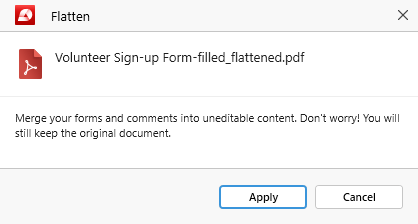
In addition, the software will preserve your original file by saving the flattened version as a new PDF and will indicate this in the file name, for example:
volunteer sign up form filled.pdf – original file name
volunteer sign up form filled_flattened.pdf – flattened file name


