

Editing PDFs - Editing texts
Editing texts in a PDF
You can access even more advanced PDF text editing features in the “Editing Tools” panel. Here is how you can access the toolbar within MobiPDF.
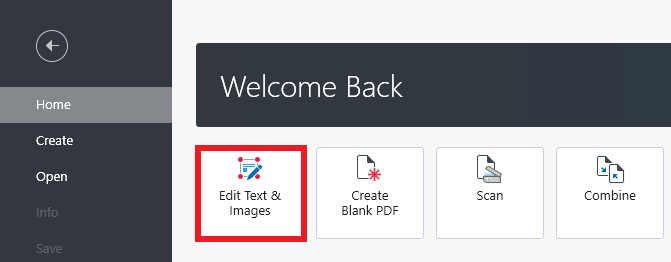
1. From the “Home” screen, click “Edit Text & Images” and select where the file is located.
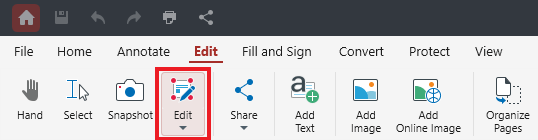
TIP: You can also start editing an already opened document by clicking “Edit” in the top ribbon.
2. An “Editing Tools” panel will appear on your right, which will enable you to manipulate your content in a number of ways.
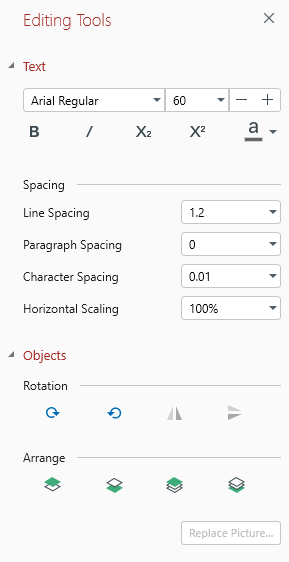
3. Highlight any text within your document to change its font, size, spacing options, and more.
Now that you’ve accessed the “Editing Tools” panel, let’s examine what each function does.


