

Tips for writing professional emails
A professional email is clear, easy to act on, and reflects well on you. This guide shares practical tips for writing better emails and shows how MobiMail's tools help you apply each one, from signatures and translation to attachments and saved records. These habits work whether you're emailing a client, a colleague, or a new contact. All steps apply to MobiMail on Windows.
Note: MobiMail is available on Windows only.
Write a clear, specific subject line
Your subject line is the first thing a recipient reads, and many people scan their inbox by subject before opening anything. Say what the email is about in a few words, such as "Invoice for March" or "Meeting notes: 3 April." A clear subject also helps you later, since you can arrange your own inbox by subject. See Setting up optimal inbox view settings.
Send from the right account
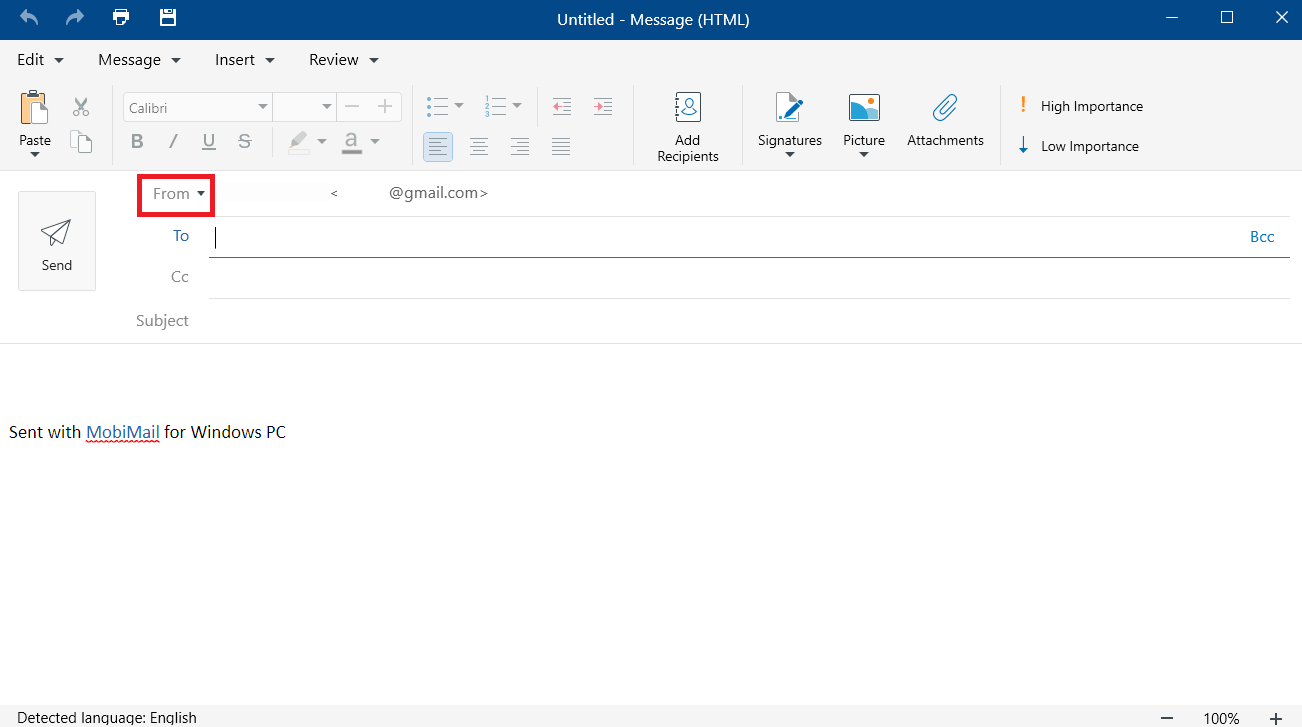
If you have both personal and work accounts in MobiMail, send each message from the address that fits. In the compose window, use the From field to choose the account before you write. This keeps your work and personal correspondence separate. See Writing, sending, and filtering emails and Setting up multiple email accounts.
Add a professional signature
A signature gives recipients your name, title, and contact details without you retyping them. Set one up once and let MobiMail add it automatically and use a different signature for each account so your work and personal mail look right. See Adding a custom email signature.
Keep your message short and focused
Get to the point quickly. Cover what you need in two or three short paragraphs: what's happening, what you need, and by when. If you find yourself writing more, consider a call or a shared document instead.
Proofread before you send
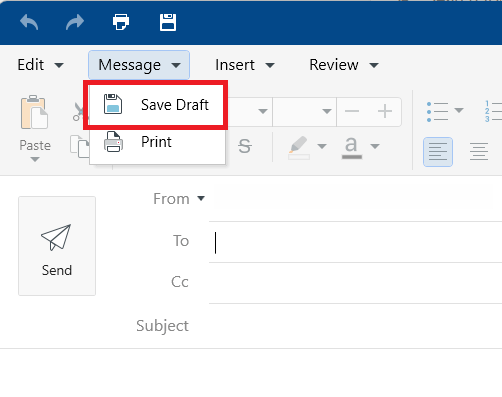
Typos and unclear wording undermine your message. Read every email at least twice, once for meaning and once for flow. MobiMail's built-in spell checker helps you catch small mistakes as you write. If you need time, save the message with Message > Save Draft and review it later with fresh eyes. See Writing, sending, and filtering emails.
Attach files the right way
Double-check that you've attached the file you mention before sending. Use Attachments in the compose window to add a file and send large files straight from your MobiDrive cloud storage to avoid provider size limits. For large files, attach them straight from your MobiDrive cloud storage instead — MobiDrive inserts a shareable link rather than the raw file, so you can send files well over the regular attachment size limit. See Writing, sending, and filtering emails.
Read and reply across languages
When you receive mail in another language, translate it before you reply so you understand the full message. Click Translate in the ribbon to read it in your default language and set the languages you use most for quick access. See Using the translation tools.
Keep a record of important emails
For confirmations, invoices, or agreements, save a copy outside your inbox. Save an important email as a PDF for your records or to share with someone who doesn't have the original. See Advanced email and export tools.
Stay organized so you reply on time
A tidy inbox helps you respond before things slip. Flag important messages, use View > Filter to focus on Unread or Flagged mail, and use View > Arrange by to sort your list. See Setting up optimal inbox view settings.
Schedule and follow up
Turn emails into action. Use MobiMail's built-in calendar to create events, set reminders, and attach files to meeting invites, so nothing gets lost after the conversation. See Using the built-in calendar module.
Where to go next
Put these tips to work in MobiMail. Try one of these next:


