This article was updated on Feb 3, 2026
Choosing a free word processor comes down to finding software that lets you write, edit, and format documents easily, works with common file types, and fits how and where you work.
From writing a school paper to drafting a contract or updating notes, word processors sit at the centre of modern digital work.
This guide explains what a word processor is, how free and online word processors are used today, and what to look for when choosing one for desktop, mobile, online, or offline use.
What is a word processor?
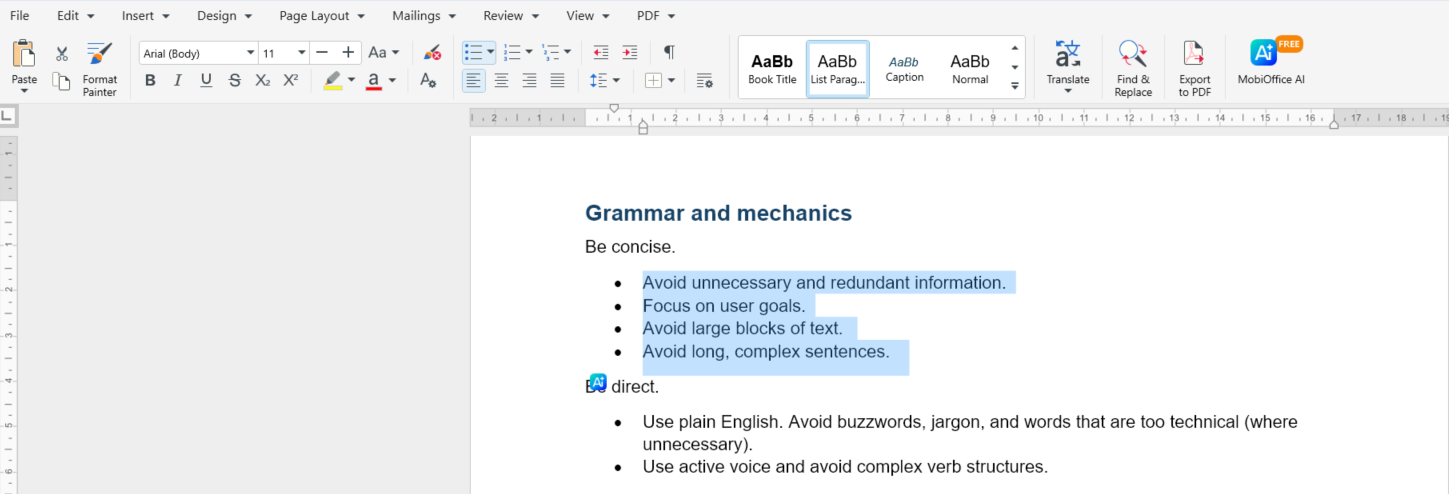
A word processor is an application that lets users create, edit, format, and save text-based documents in a structured and readable way. A word processor like MobiDocs can cover common writing and editing needs across desktop and mobile environments.
Definition and main uses
Word processors go beyond basic text entry by offering formatting, layout control, and document organization tools. They are commonly used for:
Writing letters, essays, and reports
Creating resumes, contracts, and formal documents
Formatting text with headings, styles, and layouts
Adding tables, images, and links
Editing and reviewing documents, including comments and tracked changes
Working on shared or collaborative documents that need structure
Free Word processors explained
A free word processor is software that provides essential document creation and editing features without requiring a paid subscription.
Free word processors are widely used by students, households, freelancers, and small teams who need reliable writing tools without ongoing costs. While free versions may limit advanced features, many still support formatting, templates, and popular file types.
Online vs. offline Word processors
Online and offline word processors differ mainly in how they access files and whether they require an internet connection.
Which option makes sense for different needs?
Online word processors are ideal for real-time collaboration for small or bigger teams and are accessible from any browser. Offline word processors allow you to work without internet access. Hybrid solutions, such as MobiDocs, combine both approaches, letting users work offline and continue across devices when connectivity is available.
How to choose the right Word processor
The right word processor depends on how easily it fits into your daily writing habits and device usage.
Ease of use, compatibility, and devices
A practical word processor should be easy to navigate, support common file formats like DOCX and ODT, and work smoothly across desktop and mobile devices. Offline access, regular updates, and long-term reliability also play an important role in everyday use.
Which Word processor to choose?
There are many free word processors available, and each one is designed for slightly different needs. Choosing the right option usually depends on how you work, whether you collaborate with others, and which devices or file formats you rely on most.
Below are examples of commonly used word processing software, each suited to a different type of user.
MobiDocs
A practical word processor designed for everyday writing and editing across devices.
Create and format documents from scratch or templates
Edit text, layouts, headers, footers, tables, and insert pictures
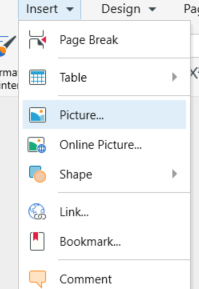
Add comments, spell check, and track changes
Supports common formats like DOCX, DOC, ODT, RTF, and TXT
Works across desktop and mobile, with offline access
Google Docs
A cloud-based word processor focused on collaboration.
Real-time editing with multiple users
Comments, suggestions, and revision history
Access through a browser with internet connection
LibreOffice Writer
An open-source desktop word processor for offline use.
Supports a wide range of document formats
Familiar interface for users coming from Microsoft Word
Part of the LibreOffice productivity suite
WPS Office Writer
A word processor with a familiar layout and extended features.
Supports common document formats
Includes tools like track changes and document protection
Available as part of a broader office suite
Zoho Writer
A word processor designed for business and team workflows.
Real-time collaboration and commenting
Version tracking and clean interface
Integrates with other Zoho business tools
Scrivener
A specialized tool for long-form and creative writing.
Focused on structuring and organizing large projects
Includes outlining tools and distraction-free writing modes
Better suited for authors than general document editing
Frequently asked questions
What is a word processor?
A word processor is software used to create, edit, format, and store text documents digitally.
What does a word processor do?
A word processor helps users write text, apply formatting, organize content, and save documents in common file formats.
Are there free word processors available?
Yes, many word processors offer free versions that include essential writing and editing features.
What is the difference between an online and an offline word processor?
An online word processor typically requires internet access, while an offline word processor can be used without a connection.
Do you need internet access to use a word processor?
Not always. Some word processors work offline and only require internet access for syncing or collaboration.
Try MobiDocs as your everyday Word processor
MobiDocs is part of the MobiOffice suite of office apps and can be used as a free word processor for everyday writing tasks on desktop and mobile devices.
Whether you’re working online, offline, or switching between devices, it provides a consistent environment for document creation and editing. Try MobiDocs Free to explore how it supports everyday document work.