This article was updated on April 28, 2026
One terabyte (TB) equals 1,000 gigabytes (GB) in decimal notation – the standard used by storage manufacturers. Here's how to convert between TB and GB quickly and accurately.
Conversion
Formula
TB to GB
Multiply by 1,000
GB to TB
Divide by 1,000
Need a quick reference? 0.5 TB = 500 GB, 1 TB = 1,000 GB, 2 TB = 2,000 GB, and 4 TB = 4,000 GB. Use this guide to understand storage capacity across all devices.
TB vs GB vs MB: Understanding storage units
Storage units measure how much data your device can hold. MB (megabyte), GB (gigabyte), and TB (terabyte) represent increasing amounts of digital space. Each step-up equals 1,000 times more capacity.
Think of it this way: a single high-resolution photo uses about 5 MB. A thousand of those photos need 5 GB. And a thousand times that – 5,000 photos – fills just 5 GB out of a 1 TB drive.
Unit
Equals
Common Use
1 MB
1,000 KB
Small document
1 GB
1,000 MB
HD movie
1 TB
1,000 GB
Large media library
Binary vs decimal storage explained
Storage manufacturers use decimal (base-10) counting: 1 TB = 1,000 GB. But your computer's operating system uses binary (base-2) counting: 1 TiB (tebibyte) = 1,024 GiB (gibibytes). This difference explains why a 1 TB drive shows as 931 GB in Windows.
When you see storage specs, manufacturers always list decimal values. A 500 GB external drive provides about 465 GB of usable space. The gap grows larger as capacity increases – normal behavior, not missing storage.
For everyday use, stick with the simpler decimal conversion: how many GB is 1 TB? It's 1,000 GB. This matches what you'll see on product packaging and makes comparing storage options straightforward.
How much can 1 TB actually store
One terabyte holds a massive amount of data – enough for most people's entire digital collection. The exact number of files depends on size and quality. Higher resolution means larger files and fewer items per terabyte.
How many photos fit in 1 TB
A 1 TB drive stores approximately 200,000 to 500,000 photos. Smartphone photos (3-5 MB each) allow more images, while DSLR RAW files (25-50 MB each) fill space faster. Your actual capacity varies by camera settings and file format.
For reference, if you take 50 photos daily, 1 TB holds over 10 years of memories. That's plenty of room for family events, vacations, and everyday moments without constant file management.
How many hours of video fit in 1 TB
Video storage depends heavily on resolution and compression. Standard definition video runs about 500 hours per TB. HD (1080p) footage drops to roughly 250 hours. And 4K video fills just 65-85 hours in 1 TB.
Streaming downloads vary too. A Netflix HD movie uses 3 GB, fitting about 330 films in 1 TB. But 4K streaming jumps to 7 GB per movie – only 140 downloads before you're full.
Other files 1 TB can hold:
6.5 million document pages (Word, PDF)
200,000 songs (5-minute MP3s at 256 kbps)
250 HD games (4 GB average per game)
Entire operating system with room for applications
Common storage myths and mistakes
Myth: More storage automatically means better performance
Storage capacity and speed are separate factors. A 2 TB hard drive doesn't run faster than 1 TB. What matters is drive type – SSDs outperform traditional hard drives regardless of size. Choose capacity based on need, speed based on budget.
Myth: You need to fill storage to maximize value
Keeping drives 75-80% full actually helps maintain performance. Full drives slow down file operations and leave no room for system updates. Buy storage that fits your current needs plus growth—not what you might eventually use.
Myth: Cloud storage replaces local drives
Cloud and local storage work best together. Local drives offer instant access without internet. Cloud backup protects against hardware failure. Using both gives you speed and safety – files easily accessible wherever you work.
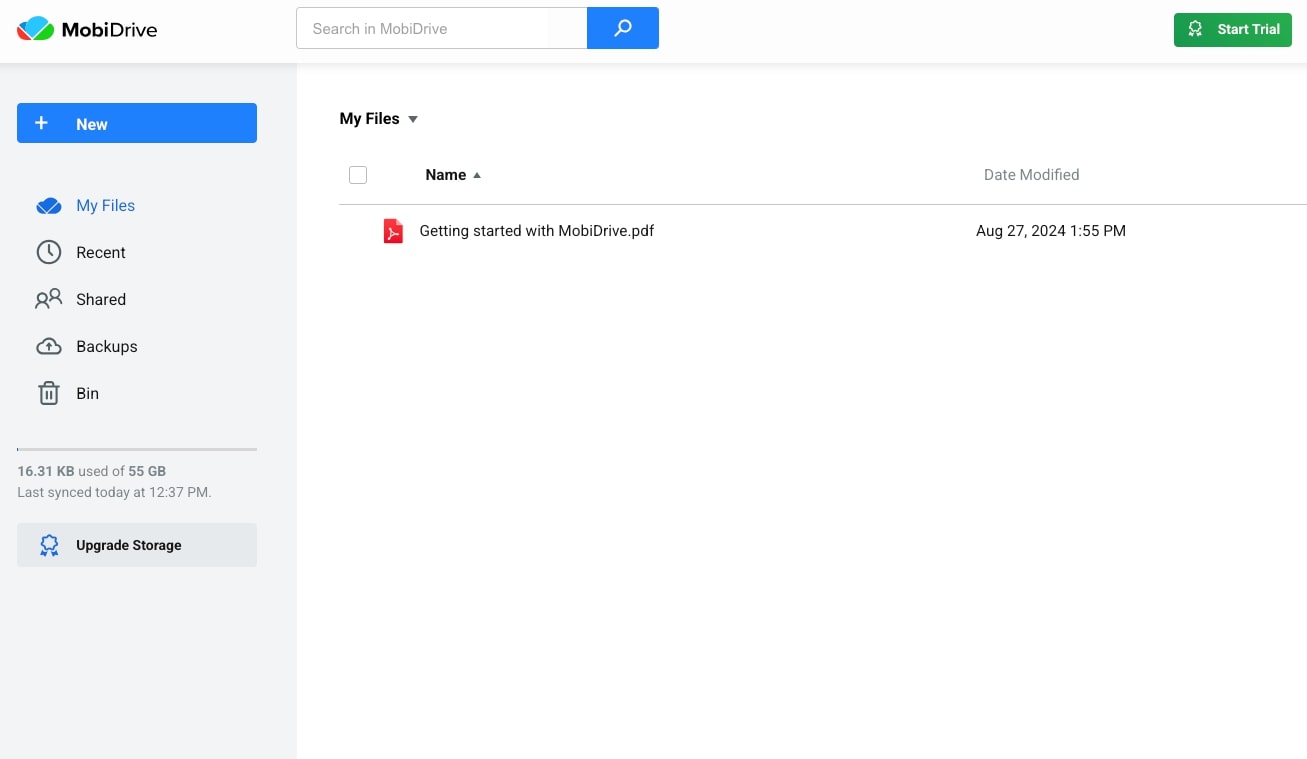
Tools like MobiDrive make this combination effortless. Store working files locally and sync them automatically to the cloud. You get quick access at home or on-the-go, with everything backed up across all devices.
Myth: Deleting files instantly frees space
Most systems move deleted files to a recycle bin or trash folder first. You must empty these folders to reclaim storage. Some apps also cache data that needs manual clearing. Check your system's storage management tools regularly.
Smart storage management with MobiDrive
Understanding TB vs GB helps you choose the right storage solution. But managing files across devices takes more than capacity – you need seamless access and automatic backup without the hassle.
MobiDrive gives you affordable cloud storage with a familiar interface. You can organize, protect, and access any of your files as it works intuitively so you can open and edit any file from anywhere. No learning curve means you start right away.
Key benefits:
Access files across all devices effortlessly
Easy-to-use interface that feels natural
Budget-friendly plans that scale with you
Automatic sync keeps everything current
Want affordable and simple file management?
Frequently asked questions
Is 1 TB equal to 1,024 GB or 1,000 GB?
It depends on the measurement system. Storage manufacturers use decimal (1 TB = 1,000 GB), which is what you'll see on product labels. Computer operating systems use binary (1 TiB = 1,024 GiB), showing slightly different available space.
How do I convert GB to TB quickly?
Divide the GB number by 1,000. For example, 500 GB ÷ 1,000 = 0.5 TB. Or 2,000 GB ÷ 1,000 = 2 TB. This simple division works for any GB to TB conversion.
Why does my 1 TB drive show less space?
Your operating system uses binary counting (1,024 bytes per unit) while manufacturers use decimal (1,000 bytes per unit). A 1 TB drive shows about 931 GB in Windows – this is normal. Some space also goes to file system formatting.
Should I buy 512 GB or 1 TB storage?
Choose based on your actual use. If you mainly store documents and photos, 512 GB (0.512 TB) works well. For video editing, large game libraries, or professional photography, 1 TB provides breathing room. Consider your growth over the next 2-3 years.
Get more done with the right storage
Understanding how many gigabytes are in a terabyte helps you make smarter storage decisions. Whether you're checking phone capacity or choosing cloud backup, knowing TB to GB conversions keeps you informed and in control.
Download MobiDrive today and experience easy-to-use cloud storage tailored to your workflow.