

Creating PDFs - Creating from scratch
Creating PDFs from a blank document
The “Blank Document” functionality is a great way to build one-page PDFs that need to adhere to specific project requirements. It’s the ultimate solution when you need full creative control.
To create a new PDF from scratch:
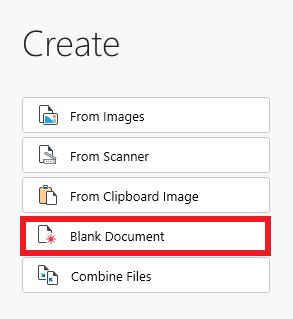
1. Click “Blank Document”.
2. Choose the file’s orientation, width, height, or type of layout (Legal, Letter, A4, etc.).
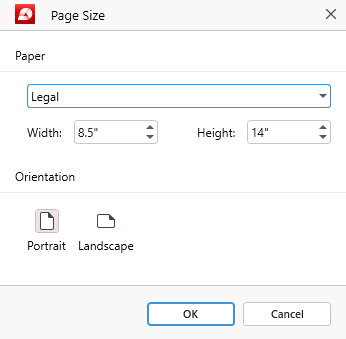
3. Click “OK” to confirm your choice.
4. You can now start working on your blank PDF.


