

Creating PDFs - Creating from clipboard images
Creating PDFs from a clipboard image
A clipboard is a form of short-term memory that temporarily stores text and other data for later use. On Windows, the most commonly stored clipboard data includes recently copied text or a screenshot made by pressing “Print Screen” on your keyboard
With MobiPDF, you can create new PDFs with any image captured in this way. To do so
1. Press “Print Screen” to save the image in the clipboard.
NOTE: The “From Clipboard Image” option within MobiPDF will remain inactive until you press “Print Screen”.
2. Click “From Clipboard Image”.
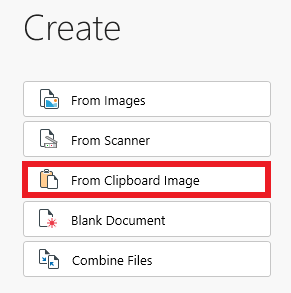
3. Your clipboard image will be instantly generated as a new PDF file.


