

Creating PDFs - Creating from images
Creating PDFs from images
MobiPDF supports two of the most popular image formats on the web: JPEG and PNG.
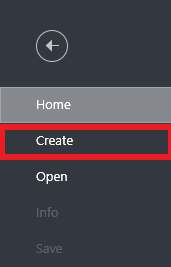
1. To turn a PDF into images, click on the “Create” tab just under “Home”.
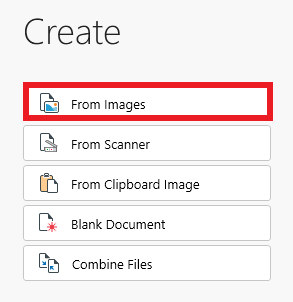
2. Click the “From Images” option, then simply drag and drop your file or open it from the Windows file explorer.
3. Rearrange the PDF image order via drag and drop controls or add new images from the “Add File” button. You can also delete any images that you don’t want.
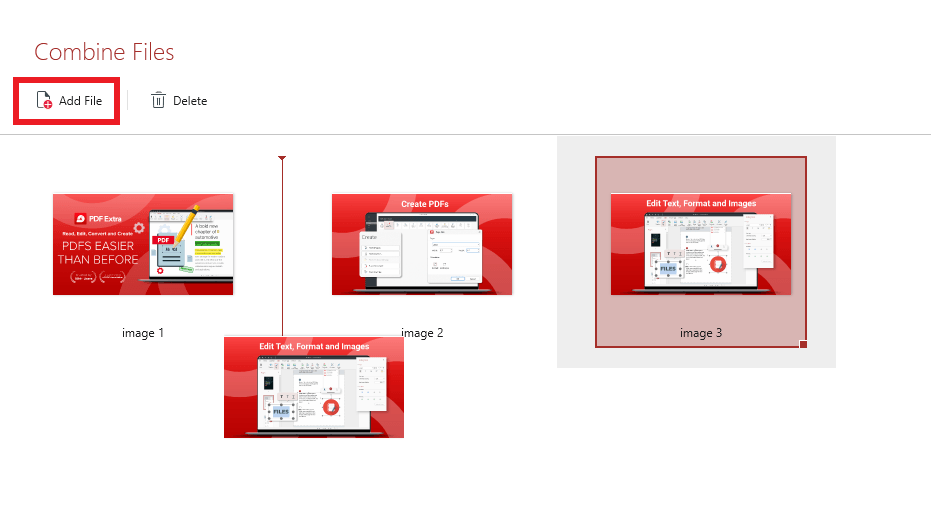
4. Click “Combine” in the lower right corner of the “Combine Files” window to merge all images together.
5. Your PDF is now ready for work!


